Remini AI Avatar: Create Stunning Cartoon Photos Free (2026 Guide)
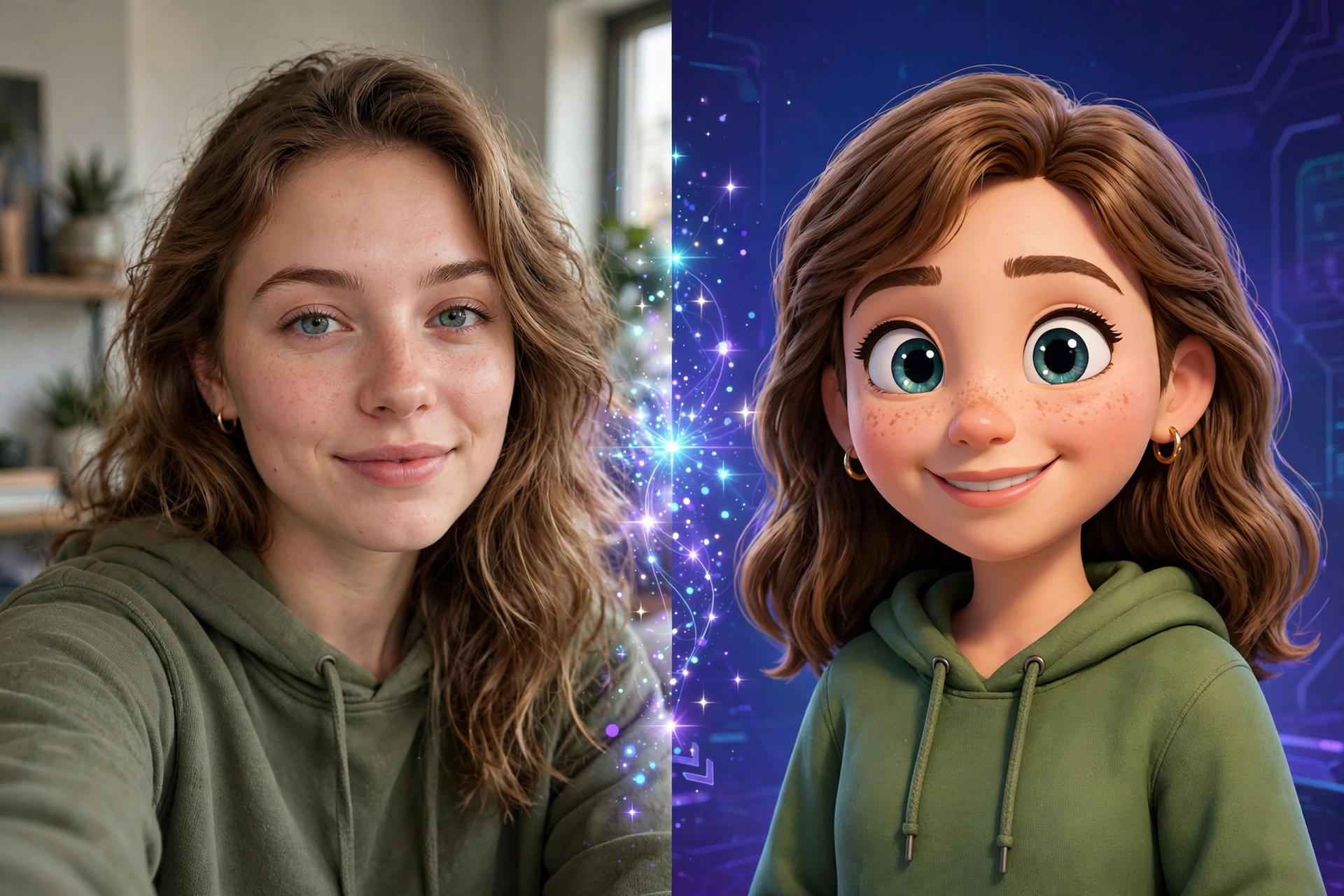
Remini AI Avatar turns your ordinary selfies into striking cartoon portraits, anime characters, and artistic profile pictures with a single tap. This AI-powered feature analyzes your facial structure and rebuilds it in styles ranging from Pixar-like 3D renders to hand-drawn sketches. In this guide, you’ll learn exactly how to create Remini AI avatars, which photo styles work best, and how to unlock every avatar filter free.
What Is Remini AI Avatar?
Remini AI Avatar is a generative filter inside the Remini app that converts real photographs into stylized digital artwork. Unlike basic cartoon apps that slap a flat filter over your image, Remini’s AI rebuilds your face from scratch — studying your eyes, jawline, skin tone, and expression, then redrawing them in your chosen art style. The result looks like a professional digital illustration rather than a filtered photo.
The feature exploded in popularity when users started posting their AI avatars as WhatsApp profile pictures and Instagram posts. Because each avatar is generated fresh by the AI, no two results look exactly alike — even from the same selfie.
How to Create a Remini AI Avatar: Step by Step
Creating your first AI avatar takes less than two minutes:
- Open the Remini app and sign in to your account.
- Tap “AI Filters” on the home screen (on some versions it’s labeled “AI Avatar”).
- Choose your style — cartoon, anime, 3D character, oil painting, sketch, or cyberpunk are the most popular.
- Upload 1 clear selfie — front-facing, good lighting, no sunglasses or heavy shadows.
- Tap “Generate” and wait 30–60 seconds while the AI processes your photo.
- Save or regenerate — if you don’t love the first result, tap generate again for a fresh variation.
Pro tip: Generate 3–4 avatars from the same photo in different styles, then pick your favorite. The AI’s interpretation varies each time, and the second or third attempt is often dramatically better than the first.
Best Photo Tips for Perfect AI Avatars
The AI can only work with what you give it. Follow these rules for dramatically better results:
- Use high-resolution selfies. Blurry or pixelated input produces muddy avatars. Ironically, running your photo through Remini’s Enhance tool before creating the avatar gives the AI cleaner data to work with — a trick most guides never mention.
- Face the camera directly. Three-quarter angles confuse the AI’s facial mapping. Straight-on shots with a neutral or slight smile produce the most accurate likenesses.
- Keep the background simple. Busy backgrounds distract the AI and sometimes get “redrawn” into weird artifacts around your shoulders and hair.
- One person per photo. Group shots force the AI to guess which face to convert, and the results are unpredictable.
- Good lighting beats everything. Natural daylight from a window outperforms any ring light for avatar generation.
Every Remini Avatar Style Explained
Remini regularly rotates its style catalog, but these core options are almost always available:
| Style | Best For | Look |
|---|---|---|
| Cartoon 3D | Profile pictures | Pixar-like animated character |
| Anime | Social media posts | Japanese animation aesthetic |
| Oil Painting | Gifts and prints | Classical portrait texture |
| Pencil Sketch | Artistic profiles | Hand-drawn graphite look |
| Cyberpunk | Gaming avatars | Neon, futuristic edge |
| Watercolor | Soft artistic feel | Painted, dreamy finish |
New seasonal styles appear around holidays — Halloween, Christmas, and summer themes typically drop as limited-time options.
Remini AI Avatar Free vs Premium: The Honest Breakdown
Here’s what most articles won’t tell you plainly: the free version of Remini gives you only a handful of avatar generations before hitting a paywall. Each AI avatar costs “pro cards” (Remini’s in-app currency), and free users burn through their daily allowance fast.
| Feature | Free Version | Premium / Mod |
|---|---|---|
| Avatar generations per day | 2–3 | Unlimited |
| All art styles unlocked | No (basic only) | Yes |
| HD export quality | Watermarked | No watermark, full HD |
| Ads between generations | Yes | None |
| New seasonal styles | Locked | Unlocked |
This is exactly why the Remini Mod APK is so popular for avatar creation — premium unlocked means unlimited generations across every style, with no watermarks on your finished avatars.
5 Creative Ways to Use Your Remini AI Avatar
Don’t let your avatar sit in your gallery. Put it to work:
- WhatsApp/Telegram DP — Cartoon avatars make memorable profile pictures that stand out in group chats.
- Instagram content — Post a side-by-side “me vs AI me” carousel; these routinely outperform regular selfies for engagement.
- YouTube thumbnails — A stylized avatar face on a thumbnail is proven click-bait that actually delivers.
- Gaming profiles — Use cyberpunk or anime styles for Steam, Discord, or mobile gaming avatars.
- Printed gifts — An oil-painting style avatar printed on canvas makes a genuinely impressive personal gift.
Common Remini Avatar Problems (and Fixes)
“My avatar doesn’t look like me.” The AI exaggerates features when input quality is poor. Enhance the photo first, then regenerate.
“Generation failed / stuck loading.” Remini’s AI servers get overloaded during viral trends. Wait 10 minutes and retry — or try during off-peak hours (early morning).
“The style I want is locked.” Seasonal and premium styles require a subscription in the official app. This is the main reason users switch to the mod version.
“Weird hands/fingers in the avatar.” AI image generators famously struggle with hands. Crop your input photo to head-and-shoulders to avoid the problem entirely.
FAQs
Is Remini AI Avatar free?
Partially. The official app gives you 2–3 free avatar generations per day with basic styles. Unlimited generations, all styles, and watermark-free HD exports require Premium — or the mod version with premium unlocked.
Can I use my Remini avatar commercially?
Remini’s terms restrict commercial use of AI-generated images in the free tier. For business use (logos, marketing, thumbnails for monetized channels), check the current terms of service or use the output as a draft for original artwork.
Does Remini store my photos?
According to Remini’s privacy policy, uploaded photos are processed on their servers for AI enhancement. If privacy matters to you, avoid uploading sensitive or identifiable photos of others, and delete your uploads from the app’s history after generating.
Why is my avatar generation slow?
AI avatar creation happens server-side, not on your phone. During viral peaks, thousands of users queue simultaneously. Generations that take 30 seconds normally can stretch to several minutes.
Final Verdict
Remini AI Avatar is genuinely one of the best AI portrait tools on mobile — when you feed it a good photo, the results rival dedicated AI art apps. The catch is the paywall: 2–3 free generations per day runs out fast when you’re experimenting with styles. For unlimited, watermark-free avatar creation, the premium-unlocked mod version is the practical choice most users land on. Start with a clean, well-lit selfie, try 3–4 styles, and you’ll have a profile picture that stops thumbs mid-scroll.